One visible pipeline for every development decision.
Move opportunities from first screen to approval with owners, tasks, evidence, professional reviews and decision history connected in one place.
Stop asking where the decision stands.
Every opportunity should make four things immediately clear to the entire team.
Who owns the next action?
↘What is blocking the decision?
↘What changed since the last review?
↘See every decision moving through the organization.
One shared view of stage, ownership, deadlines, blockers and readiness—across every active opportunity.
Riverside Yard
Strategy fit
King Street
Initial screen
Harbour District
Scenario B
Northgate Living
Underwriting
East Junction
Planning review
Cedar Commons
Cost review
Station Quarter
Package ready
Oak Lawn
Final comments
Maple Avenue
Approved
Westbank Site
Hold
One project room for every person involved.
Keep comments, tasks, review requests and decisions beside the opportunity instead of rebuilding context across email, chat and meetings.
- Assign owners and due dates
- Mention teammates and reviewers
- Resolve conditions in context
- Work from one current project version
Laura moved the opportunityScreen → Evaluate
James assigned a reviewPlanning assurance · Sarah R.
Sarah added a conditionConfirm servicing capacity before committee
Underwriting sensitivity updatedConstruction cost +4.0%
Advance only when the required work is visible.
Each stage has a clear definition of ready. Missing analysis, unresolved conditions and required approvals remain visible before advancement.
Evaluation gate
Strategy fit, credible capacity, initial economics and material risks are complete.
Assurance gate
Required professional review, comments and conditions are recorded.
Committee gate
Recommendation, alternatives, evidence and decision package are assembled.
Decision gate
Approval, conditions, owner and next action are formally recorded.
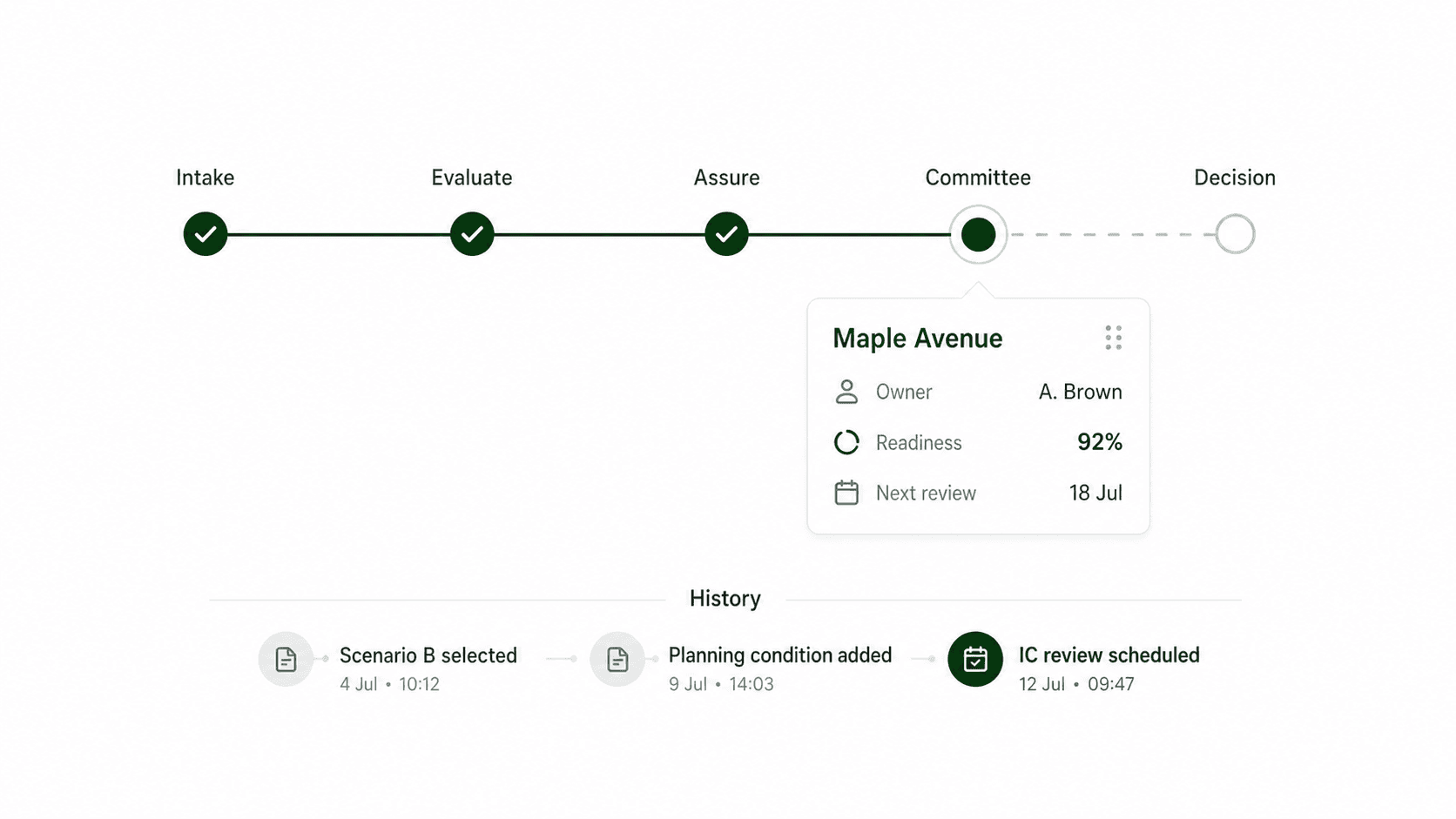
Know who changed what, when and why.
Every material action remains connected to the opportunity—from the first assumption change to the final approval.
“Which version did the committee approve, and what conditions were still open?”
Decision status changedProfessional Assurance → Committee Ready
Laura M.Review condition resolvedServicing capacity evidence attached
James C.Underwriting v12 approvedBase case construction cost updated +4.0%
Marcus T.Professional comment addedPlanning pathway supported with two conditions
Sarah R.Scenario B selectedPreferred over Scenario A and phased alternative
Decision team
Configure the operating model your team already trusts.
Standardize the process without forcing every opportunity, market or organization into the same decision path.
Custom stages
Reflect the gates, committees and approval path your organization already uses.
Owners & roles
Assign clear responsibility to individuals, teams and external reviewers.
Required work
Define the evidence, analysis and reviews needed before a stage can advance.
Conditions & blockers
Keep unresolved issues visible, assigned and connected to the decision.
Permissions
Control who can view, edit, review and approve each opportunity.
Alerts & deadlines
Notify the right person when work is due, blocked or ready for review.
The pipeline ends with a decision—not a status update.
When an opportunity clears its required gates, the approved analysis, alternatives, professional comments, risks and conditions flow directly into the Decision Package.
Explore Decision PackagesHow teams work through decisions together.
01Can we use our existing approval stages?+
Yes. Pipeline stages, decision gates, required work, approvers and outcomes can be configured around your current operating model rather than forcing a fixed UnlockLand process.
02Can multiple teams work on the same opportunity?+
Yes. Acquisition, planning, development, finance, leadership and professional advisers work from the same opportunity record while retaining their own tasks, responsibilities and review permissions.
03How are blockers and conditions handled?+
A blocker or condition is attached to the relevant assumption, scenario, review or gate. It has an owner, status and history, and remains visible until it is resolved, accepted or carried into the final decision.
04What is retained in the history?+
Stage changes, assignments, comments, document activity, assumption updates, scenario versions, professional reviews, approvals, rejections and final decision rationale are recorded with time and ownership.
05Can external service providers participate?+
Yes. A matched professional provider or existing adviser can be invited into a controlled review scope without exposing unrelated opportunities or organization data.
06How does this connect to Decision Packages?+
The workflow controls how the opportunity reaches a decision. Decision Packages use the approved analysis, alternatives, professional comments, risks and open conditions to communicate the recommendation to committee.
Move every opportunity forward with the whole team aligned.
See ownership, work, blockers, approvals and history from first screen to final decision.